Real sleep detection
Heart rate, wrist movement and an on-wrist check work together, so lying still awake or a watch on the nightstand never counts as sleep.
Power Napper notices when you actually fall asleep, then wakes you after the sleep you asked for, not after you lay down.
Coming soon to Google Play · Wear OS 5 and newer · 3 naps free, no subscription
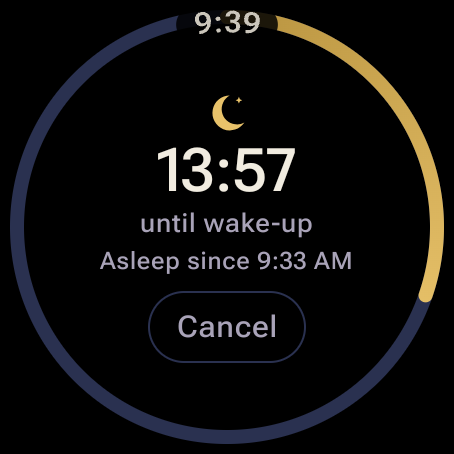
Set a 20-minute timer and take 12 minutes to drift off, and you get 8 minutes of sleep. Power Napper gives you the full 20.
Counts from the moment you tap it. Fall asleep late and it cuts your nap short; fall asleep fast and you may wake groggy.
Waits until your heart rate settles and your wrist is still, then counts down your real sleep. A backup alarm wakes you even if you never drift off.
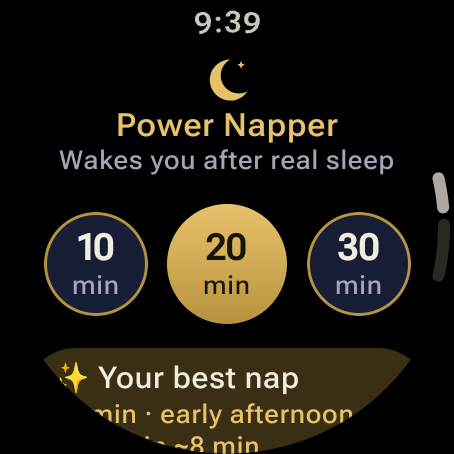
Tap 10, 20 or 30 minutes, or set any length up to 8 hours.
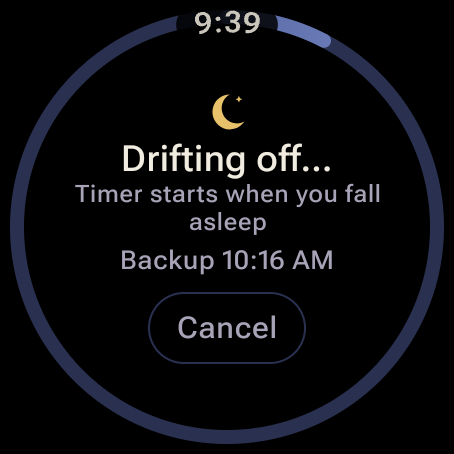
Lie back. The countdown starts when Power Napper detects you are asleep.
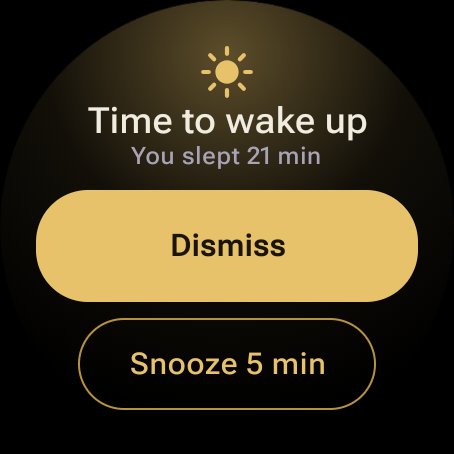
Vibration builds from soft to strong. A sound plays only if you need it.
Heart rate, wrist movement and an on-wrist check work together, so lying still awake or a watch on the nightstand never counts as sleep.
Vibration steps up over a minute. If you are still asleep, your watch's alarm sound fades in. Snooze is one big tap.
Set the moment you start, so you are woken even if sleep is never detected. Choose how long it waits on custom naps.
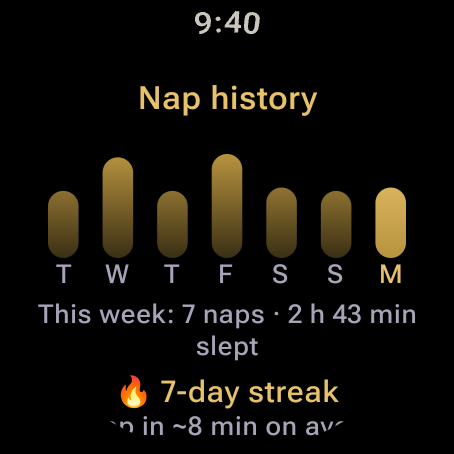
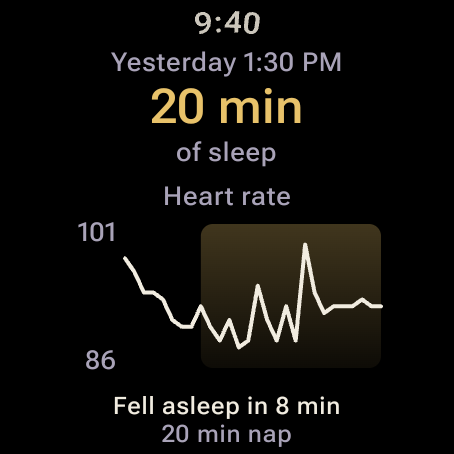
See how long you slept and how fast you fell asleep, a weekly chart, your streak, and a heart-rate graph for every nap.
Start a nap straight from your tiles or a watch face complication that shows the minutes left.
With the screen off, in battery saver, after a crash and even after your watch restarts mid-nap.

Your heart rate, movement and nap history are processed and stored on the watch, and nowhere else. We have no servers to send them to.
Google Play shows the Install button only on watches that can run it.
| Watch | Notes |
|---|---|
| Samsung Galaxy Watch 4, 5, 6, 7, 8, FE and Ultra (incl. Classic and Pro) | Updated to Wear OS 5 or 6 |
| Google Pixel Watch 2, 3 and 4 | Wear OS 6 |
| OnePlus Watch 2 and 3 | Wear OS 5 |
| Other watches on Wear OS 5 or newer | Check Google Play on your watch |
Not available for Apple Watch, or for Wear OS 3 and 4 watches.
$0
Your first 3 naps, every feature.
$4.99 once
Unlimited naps, forever. $2.99 for the first two weeks after launch.
Yes. Power Napper is a Wear OS app for Galaxy Watch 4 and newer that watches your heart rate and movement, detects when you fall asleep, and starts your nap countdown at that moment, so a 20-minute nap means 20 minutes of actual sleep.
It measures your heart rate after you settle in, then looks for a few minutes where your wrist is still and your heart rate is clearly below that level. That is when the countdown starts. If your watch is off your wrist, it never counts that as sleep.
A backup alarm always wakes you. For one-tap naps it rings 20 minutes after your nap length; for custom naps you choose the backup time, from 5 minutes to 2 hours.
No. Power Napper runs entirely on the watch. You can install it from Google Play on your watch or from your phone.
Wear OS 5 or newer: Samsung Galaxy Watch 4 and newer, Google Pixel Watch 2, 3 and 4, OnePlus Watch 2 and 3, and other current Wear OS watches. It does not run on Apple Watch.
No. Your first 3 naps are free with every feature. After that, a single $4.99 purchase unlocks the app for good. No subscription, no ads, no account.
Yes. Your heart rate, movement and nap history are processed and stored only on your watch. Nothing is sent to us or anyone else. Read the privacy policy.
Many people find 10 to 20 minutes of sleep refreshing without grogginess. Power Napper lets you rate how you feel after each nap and, after five rated naps, shows the length and time of day that work best for you.
No. Power Napper is a nap alarm. Its sleep detection is an estimate and it is not intended to diagnose or treat any condition.
Join the waitlist and we'll email you once when Power Napper is on Google Play, with the launch price.
One launch email. No spam, unsubscribe any time.